All shaders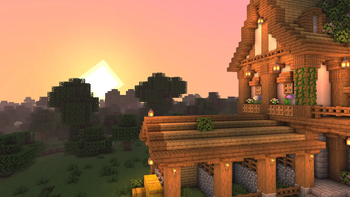 View Eclipse & credit the author on modrinth.com
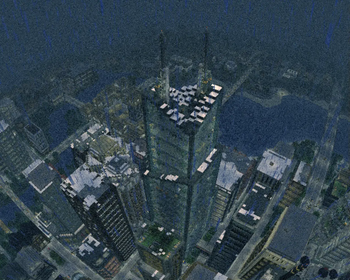 EpochPotato impact · by WoMspace
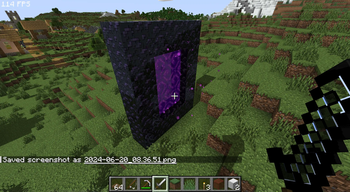 Daybreak ShaderPotato impact · by agentclone8
![[BTB] Back To Basics in-game preview](/shaders/covers/back-to-basics.webp) [BTB] Back To BasicsPotato impact · by HackFight
[BTB] Back To BasicsPotato impact · by HackFight Emissive TrimsPotato impact · by Bluebird
 Flashlight ShaderPotato impact · by GN
 Phoxel PTHigh impact · by Despatra
Eclipse
by gamerbenyt
310K 1.19 – 1.21.8
Vanilla LikeReflectionsShadowsMedium impact
Eclipse focuses on crisp screen-space reflections and balanced lighting without straying from Minecraft's look — a tasteful mid-range upgrade with soft shadows and clear water.
Download EclipseEclipseShaders.zip · 0.2 MB · Hosted on MineSpecs · no redirects, no ads
How to install Eclipse
- 1Install a shader loader for Minecraft 1.19 – 1.21.8 — Iris (pairs with Sodium) or OptiFine.Eclipse is a shaderpack, so it needs a loader to run.
- 2Download the Eclipse
.zipfrom the button above — keep it zipped. It is mirrored on MineSpecs, so there is no ad-gate or redirect. - 3Drop the .zip into your
.minecraft/shaderpacksfolder (%appdata%\.minecraft\shaderpackson Windows,~/Library/Application Support/minecraft/shaderpackson macOS). - 4Launch the game, open Options → Video Settings → Shaders, and select Eclipse.
Performance & what to expect
Eclipse is rated medium performance impact. It wants a mid-range dedicated GPU. Drop render distance a few chunks if you fall below 60 FPS. It renders reflections and shadows. The look is vanilla like.
Performance
Medium impact
Version
1.0
Minecraft
1.19 – 1.21.8
License
CC-BY-4.0
More vanilla like shaders
EpochPotato impact · by WoMspaceDaybreak ShaderPotato impact · by agentclone8[BTB] Back To BasicsPotato impact · by HackFightEmissive TrimsPotato impact · by BluebirdFlashlight ShaderPotato impact · by GNPhoxel PTHigh impact · by DespatraEclipse is created by gamerbenyt and mirrored here under its CC-BY-4.0 licence. MineSpecs is an unofficial fan project and is not affiliated with gamerbenyt, Mojang Studios or Microsoft.